The exercises in the 3X Reading Speed series will train your eyes and your mind in speed reading and comprehension. To make sure you get the most out of these scientifically-designed lessons, you are required to complete each exercise before moving on to the next one. Remember to do one of the Eye Warmups before you begin each practice session.
As you complete each of the exercises in these lessons, the system tracks your progress and compares your reading speed and comprehension with the goals you set. You can see how well you're doing by reviewing the charts that graph your progress over time. See "About Progress Tracking" for more information.
Most of the reading lessons and exercises use a text selection to display words and phrases for your reading practice, and you will need to choose which text the system will use. There are many selections available in the 7 Speed Reading e-library, and you can even add your own texts. See "Viewing and Selecting Texts" for more information.
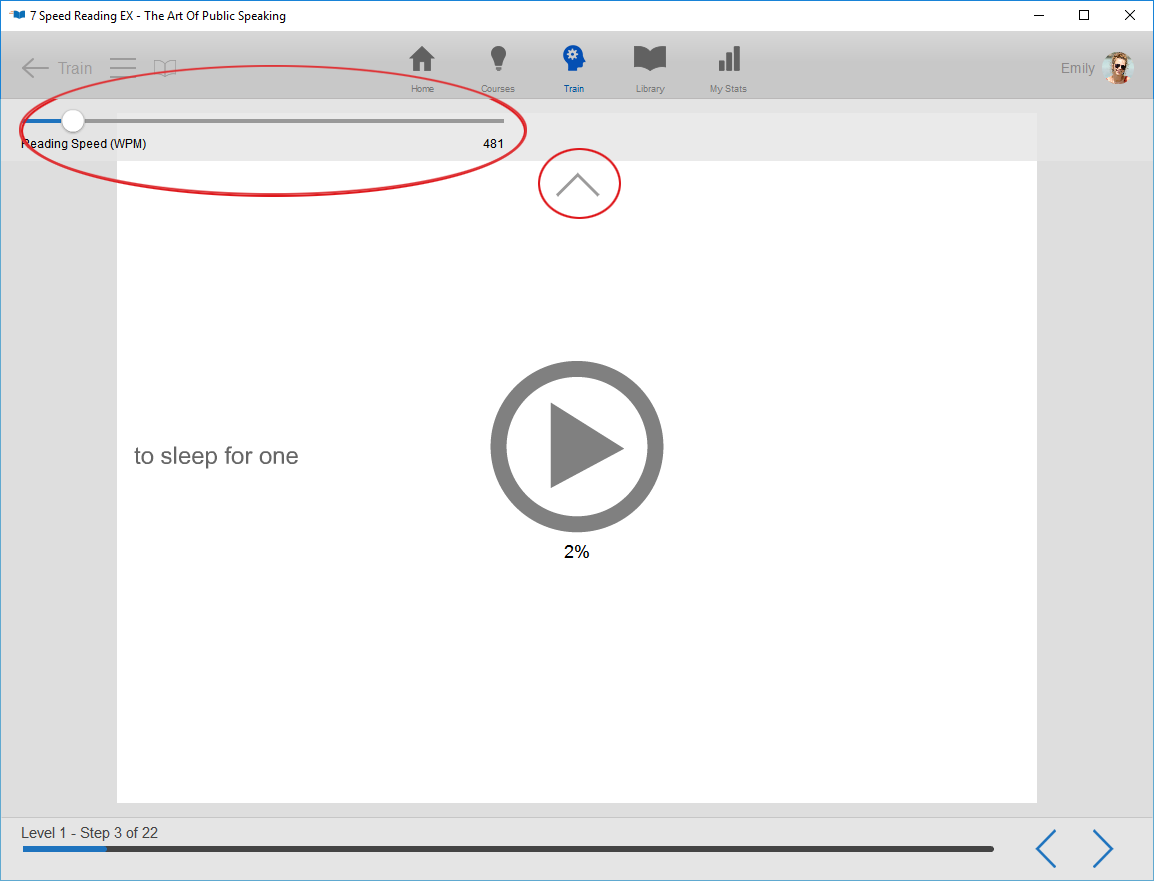
Setting and Adjusting the Reading SpeedEach exercise series starts with a reading speed test. In addition, you will have a reading test to complete at the end of each level. The system uses the result of these reading speed tests to set the speed level for the exercises in the next series. That means that if you read the text passage at 300 words per minute, the system will display the exercises at 300wpm. However, if you simply skim through the text, or click to finish before you are actually done reading, the display speed will be higher than your current reading rate, and you will not get all of the benefits of the exercises. To reset the speed the system uses for the exercises, click the arrow at the top of the display to reveal the Reading Speed indicator, and slide the button up or down the bar until you have set the level you need. Click the arrow again to continue the exercise at the new speed.
See also: